Food Delivery App Development: Features, Modules and Process
Types of food delivery apps, the customer, admin and delivery modules you need, B2C vs B2B differences, and how to choose a food delivery app development company.
Food delivery app development is no longer only for marketplaces like Swiggy and Zomato. Restaurants, cloud kitchens, caterers and food distributors across India now want their own ordering apps, so they keep their customers, their data and their margins instead of paying commission on every order.
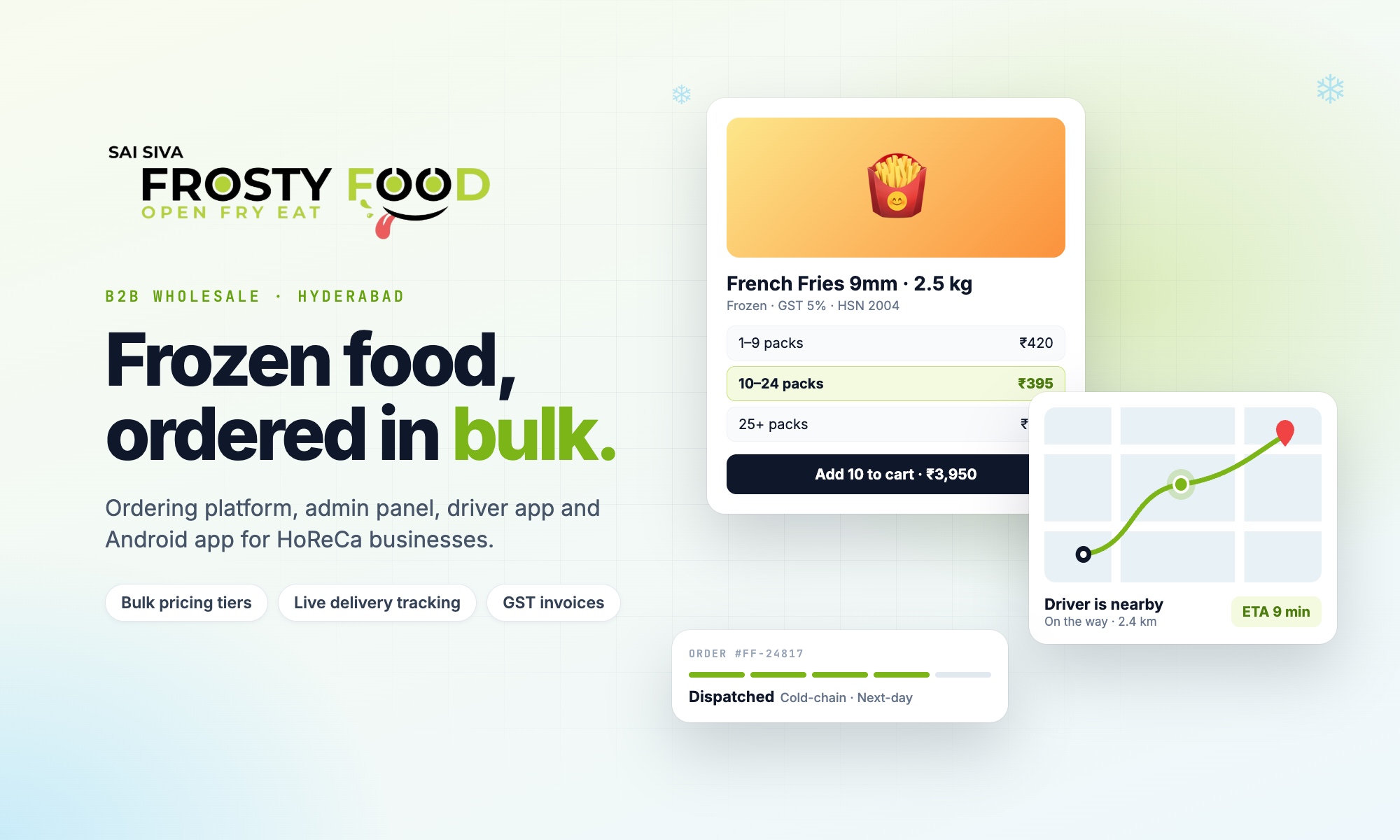
This guide covers the types of food delivery apps, the modules every one needs, the features that separate a reliable app from a frustrating one, and how to choose a food delivery app development company. Where it helps, we use examples from a real food ordering and delivery platform we built for Frosty Food, a well-known frozen-food brand in Hyderabad.
Types of food delivery apps
| Type | Who it is for | Example need |
|---|---|---|
| Single restaurant or brand app | A restaurant, café or chain | Direct orders without marketplace commission |
| Cloud kitchen app | Several virtual brands from one kitchen | One app, many menus, one delivery fleet |
| Multi-restaurant marketplace | Aggregators in a city or campus | Many restaurants, commission and payouts |
| B2B food ordering platform | Food distributors and wholesalers | Bulk pricing, GST invoices, business accounts |
| Meal subscription app | Tiffin and diet meal services | Daily plans, pauses and recurring payments |
The type you choose decides most of the features. A B2B food platform, for example, needs business account approval and quantity-based pricing, while a restaurant app needs quick checkout and live order status.
The apps inside a food delivery system
A complete food delivery product is usually three or four apps sharing one database:
- Customer app and website: browse, order, pay and track.
- Admin panel: menu, prices, orders, payments, delivery zones, reports.
- Delivery partner app: assigned orders, navigation and live location.
- Restaurant or store panel (for marketplaces and multi-outlet brands): incoming orders and preparation status.
Must-have features of a food delivery app
For customers
- Fast sign-up with OTP, saved addresses and a default address.
- Menu or catalogue with categories, photos, pack sizes and availability.
- Delivery-area check before checkout, so nobody orders from a place you cannot serve.
- Delivery options: same-day, scheduled or next-day, and store pickup with a chosen time.
- Payments that suit India: UPI, cards, netbanking, wallets, and bank transfer for business customers.
- Live order status and driver tracking, with notifications when the order is packed, dispatched and delivered.
- One-tap reorder of a previous order, and ratings after delivery.
For the business
- Menu and price management, including bulk upload from Excel with photos.
- Delivery zones drawn on a map, with free-delivery areas and charges for other areas (see our guide to geofencing for delivery apps).
- Minimum order values, free-delivery thresholds and daily cut-off times.
- Order screen with clear stages and driver assignment.
- Payment tracking, refunds and GST invoices.
- A holiday or pause switch that stops new orders on the website and app at once.
- Coupons, banners and push notification campaigns.
- Ratings for food, delivery partners and delivery, plus reports and spreadsheet exports.
For delivery partners
- A list of assigned deliveries that updates automatically.
- Live GPS sharing with clear messages when location is off or weak.
- One tap to open the customer's location in a navigation app.
- Steps to confirm pickup, delivery and any failed delivery with a reason.
Features that separate good apps from frustrating ones
- Prices verified on the server. The final price is always recalculated by the system, never trusted from the phone, so offers and bulk discounts cannot be misused.
- Location checks at the right moment. Customers learn whether you deliver to them before they fill a cart, not after paying.
- Clear order states. Every order is in exactly one stage, visible to customer, staff and driver.
- Notifications that work everywhere. App push, browser push and important messages always delivered.
- Admin tools staff can use without training. Most of a food business's time is spent in the admin panel, not the customer app.
B2C vs B2B food delivery apps
| B2C (consumers) | B2B (restaurants, hotels, shops) | |
|---|---|---|
| Order size | Small, frequent | Large, regular |
| Pricing | Fixed menu price, coupons | Quantity tiers, account terms |
| Accounts | Open sign-up | Business verification, GST number |
| Payment | UPI and cards at checkout | UPI, bank transfer, credit line |
| Invoices | Simple receipt | GST invoice with HSN summary |
| Delivery | Within minutes to an hour | Same-day or next-day by route |
For the B2B side, see our guide to distributor management systems.
The development process
- Discovery: your menu or catalogue, delivery area, payment methods and order rules.
- Design: customer, admin and driver screens, tested with real staff.
- Build the first release: ordering, payments, order management and delivery.
- Launch: website, Android app on Google Play (and iOS if needed), data import and staff training.
- Improve: tracking, ratings, campaigns and reports, based on real orders.
How to choose a food delivery app development company
- Ask to see a live food or delivery app they built, not only designs.
- Check they have handled payments, delivery zones and driver tracking in production.
- Make sure you own the code and the Play Store and App Store accounts.
- Prefer a written scope with phases over a single lump-sum promise.
- Confirm support after launch: food businesses change menus, prices and areas often.
Our checklist on choosing a mobile app development company in Hyderabad goes deeper.
Frequently asked questions
How long does it take to build a food delivery app?
A focused first version with ordering, payments, admin and delivery usually takes a few months. Marketplaces with many restaurants and payouts take longer. We confirm timelines in writing after scoping.
Do I need a separate app for delivery partners?
If you run your own deliveries, yes. A light driver app (or mobile web app) for assigned orders and live location removes most "where is my order?" calls.
Can the app work only in my delivery area?
Yes. You draw your delivery area and free-delivery zones on a map, and the app checks every address against them.
How much does food delivery app development cost?
It depends on the type of app and modules. Our mobile app development cost guide gives typical budgets, and we send a fixed quote after a free consultation.
Planning a food ordering or delivery app? Book a free consultation with Next Code Company in Hyderabad, and see the Frosty Food platform we built.
Related articles
Have a story worth engineering?
We turn strategy into shipped software. Book a free consultation and we'll map the build, the timeline and the cost.